How to Find Sold Listings on eBay: 3 Easy Ways to See What Your Items Are Actually Worth

If you sell on eBay—or you’re standing in a thrift store trying to decide whether something is worth buying—one of the most important skills you can learn is how to find sold listings on eBay.
Why?
Because an item being listed for $100 doesn’t mean anyone is actually willing to pay $100 for it.
I can list something for $500 today. That doesn’t make it worth $500.
Looking at sold listings gives you a much better idea of what buyers have actually been willing to pay for similar items.
And there are several ways to find them.
In this guide, I’ll show you how I research eBay sold listings:
- Using a keyword search on the eBay app
- Using eBay’s photo search when I don’t want to type—or don’t know what an item is
- Using eBay sold listings on a desktop computer
- Plus, how I research strange thrift-store finds with no maker’s mark at all
These are the same methods I use when I’m deciding whether an item is worth buying for resale.
Why eBay Sold Listings Matter
Imagine you’re at a thrift store and find something unusual for $3.
Maybe it’s a vintage collectible.
Maybe it’s designer.
Maybe it’s just an interesting piece of glass.
You search eBay and see several people asking $75, $100 or even $150 for similar items.
It can be tempting to think:
Jackpot!
But before putting it in your cart, there’s another question you need to answer:
Are people actually BUYING it for that price?
That’s where sold listings come in.
Checking sold results can help you answer questions such as:
- Does this item actually sell?
- What have buyers recently paid?
- Are there multiple comparable sales?
- Is my item the same version?
- Does condition affect the price?
- Is the item worth buying at the thrift-store price?
- How much competition is currently on eBay?
Active listings tell you what sellers are asking.
Sold listings tell you what buyers have actually purchased.
That distinction is incredibly important when you’re researching items to resell.
Method 1: Find eBay Sold Listings on Your Phone
This is probably the method you’ll use most often when you’re actually out sourcing.
Let’s use an easy item as an example.
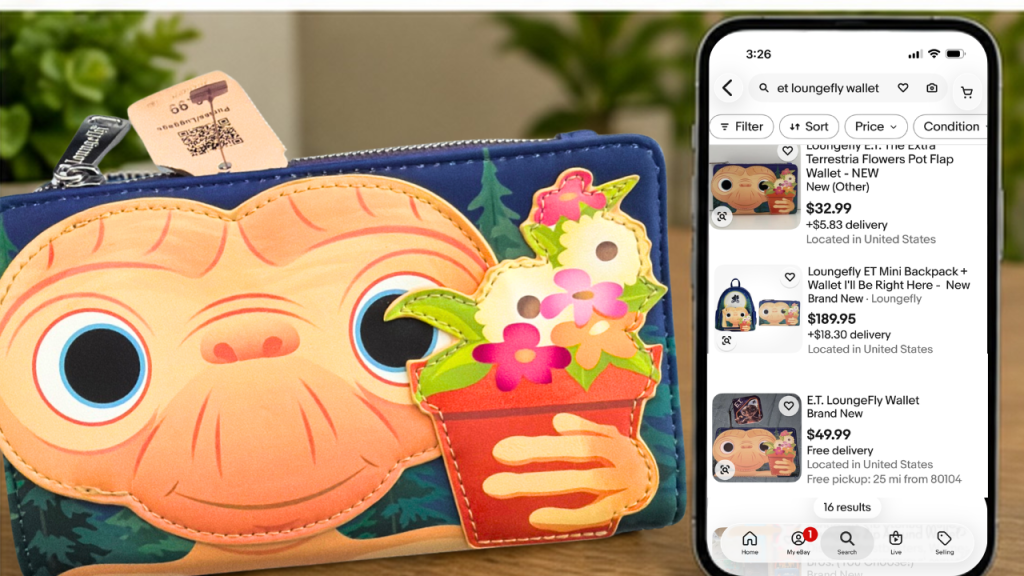
I have an E.T. Loungefly wallet.
This one isn’t particularly difficult to identify because I already know:
- The character is E.T.
- The brand is Loungefly.
- The item is a wallet.
That gives me a very straightforward search.
Step 1: Search for the item
Open the eBay app and enter the most descriptive keywords you know.
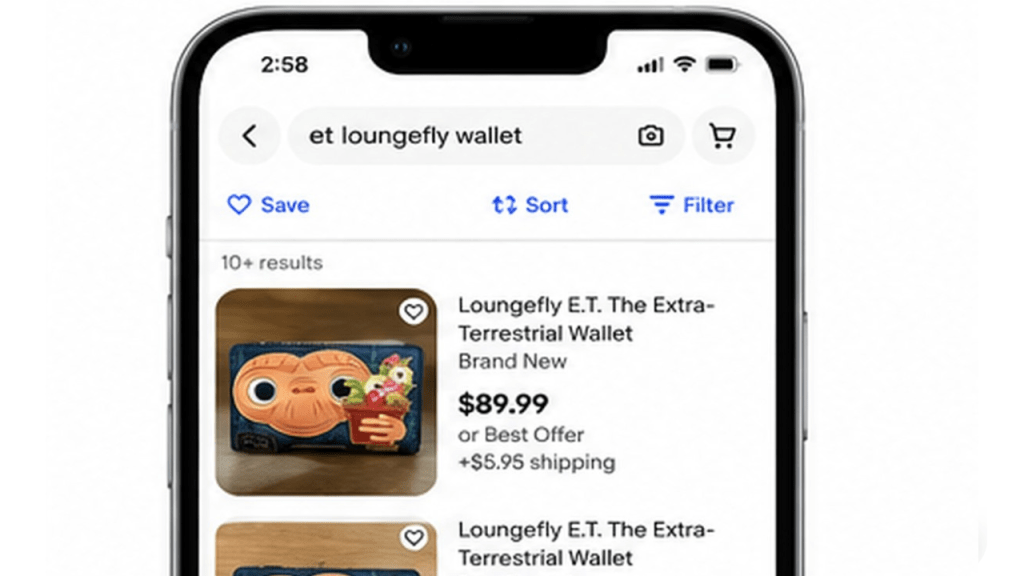
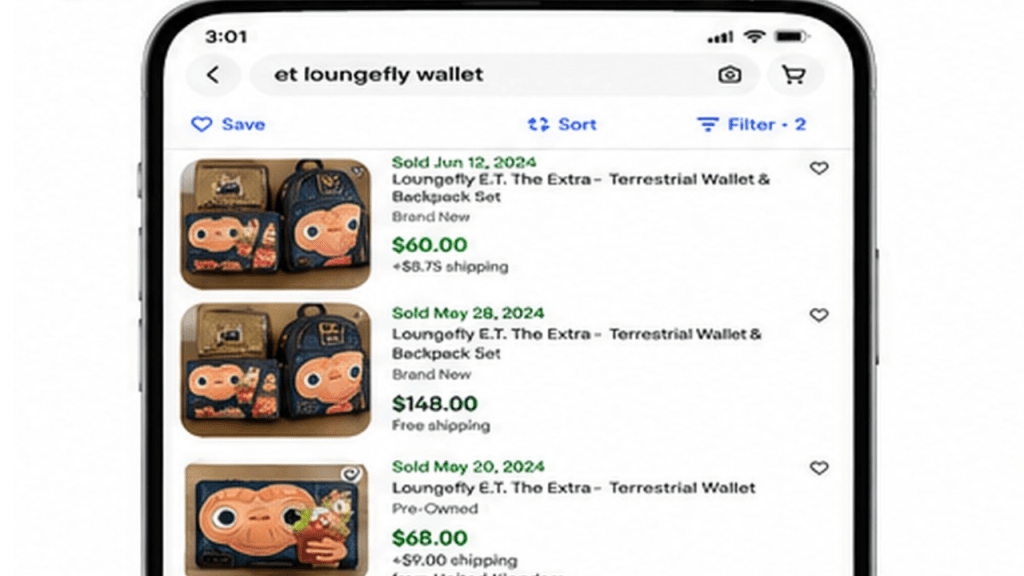
For this example, I searched:
E.T. Loungefly wallet
Your search results will initially show items that are currently available for sale.
But that’s not what we’re looking for yet.
Step 2: Open the filters
Select Filter.
If you don’t immediately see the sold option, select See More and continue scrolling through the filters.
Step 3: Select Sold Items
Choose the option for Sold Items.
Now eBay will show you listings matching your search that have sold.
In my wallet example, I could see several different results—including wallets sold individually and others sold as part of a set with a backpack.
And that’s where the research really begins.

Don’t Stop at the First Sold Listing
Finding a sold listing isn’t the same thing as finding a good comparable sale.
For example, if I’m researching my pre-owned wallet and find a sale that included:
a wallet + backpack
that isn’t an apples-to-apples comparison.
I also noticed results from different countries.
Those can still be helpful, but location is another factor I want to consider when determining what buyers in my market might pay.
And my wallet is pre-owned, so comparing it with brand-new examples isn’t necessarily going to tell me what mine is worth either.
When examining sold listings, pay attention to:
- New versus pre-owned condition
- Single items versus sets
- Exact design or model
- Size
- Completeness
- Location
- Damage or wear
The closer the sold item is to yours, the more useful that sale becomes.
Method 2: Search eBay Sold Listings Using a Photo
Here’s one of my favorite shortcuts when I’m standing in a thrift store.
Instead of typing the description, you can let eBay search using a photograph.
This is especially handy if typing on your phone isn’t your favorite thing—or if you’re not even sure what terminology to use.
How to use eBay’s photo search
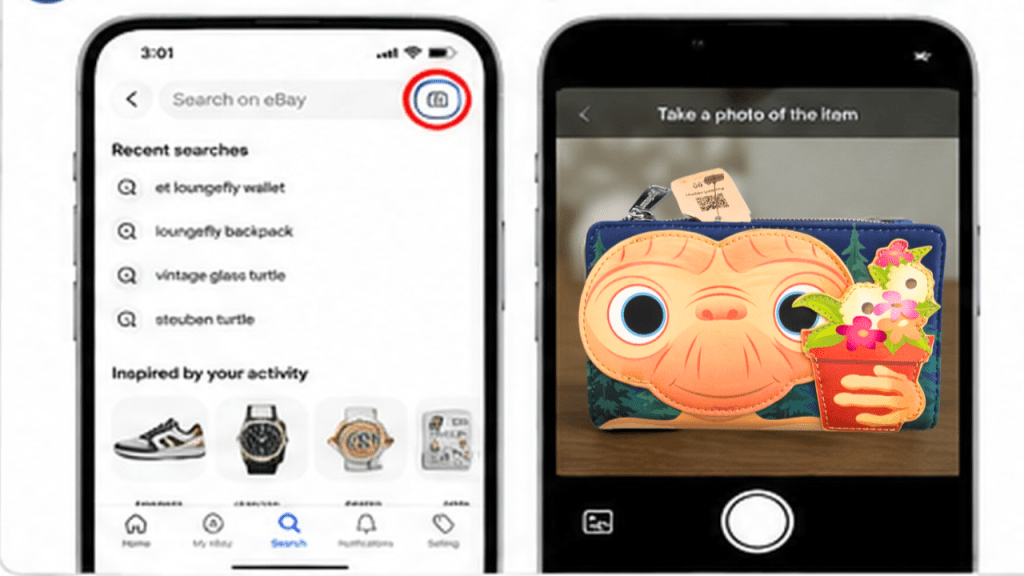
In the eBay search bar, look for the camera icon.
Select it and take a clear photograph of your item.
eBay will attempt to locate visually similar listings.
With my E.T. wallet, I photographed the item and eBay began showing me Loungefly products that looked similar.
From there, I could select the sold filter again and look for comparable sales.
But there is an important limitation.
Photo Search Isn’t Always as Accurate as Keyword Search
The photo search didn’t necessarily show me exactly the same results I found when I searched:
E.T. Loungefly wallet
That’s why I generally think of photo search as a starting point, especially when I’m sourcing.
It can help me quickly figure out:
“What is this thing?”
Once I’ve discovered the proper brand name, model, pattern or terminology, I can go back and run a more specific keyword search.
And that often produces better results.
Method 3: Find Sold Listings on eBay From a Computer

Once you’ve brought your haul home, researching on a desktop or laptop can be much easier.
For the same E.T. Loungefly wallet, I can search:
E.T. Loungefly wallet
Then I can use the filters on the search-results page to narrow the results to Sold Items.
Now I can examine the sold listings on a larger screen.
This is especially useful when I’m getting ready to list an item because I can spend more time comparing:
- Photographs
- Condition
- Titles
- Included pieces
- Similar versions
- Sold prices
I generally use the phone for quick research while sourcing and the computer when I’m doing more detailed research at home.
What If You Don't Know What the Item Is?

This is where things get more interesting.
Sometimes you find something at a thrift store that gives you almost nothing to work with.
No label.
No obvious brand.
No model number.
No maker’s mark.
That’s exactly what happened with this little glass tortoise.
It was unusual because the tortoise appeared to be tucked into its shell.
I’d seen plenty of glass turtle and tortoise figurines before, but this one looked different.
The thrift store price was around $3.
So now the question becomes:
How do I find sold listings when I don’t even know what I’m searching for?
Start With eBay's Camera Search
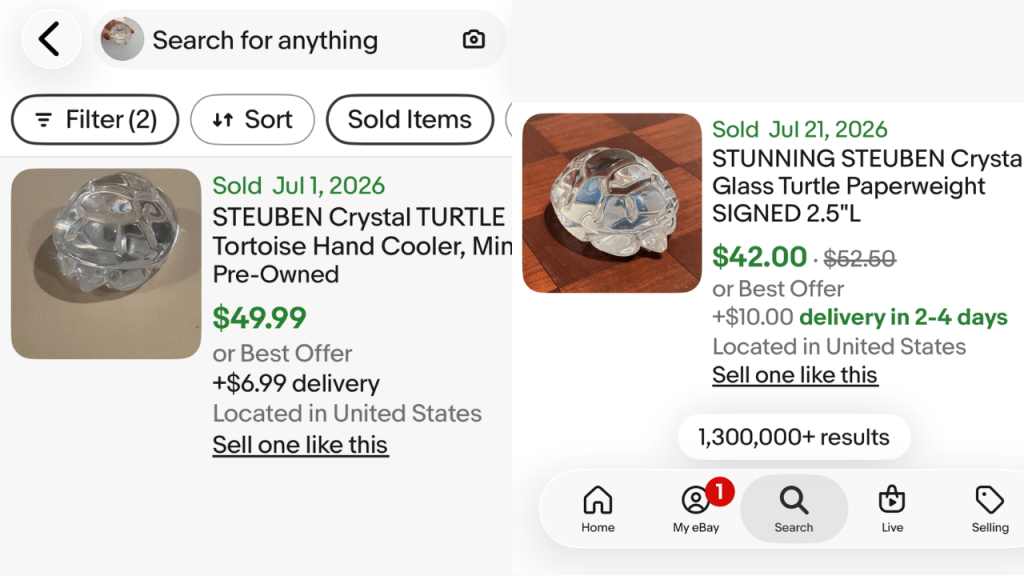
I opened the camera search on the eBay app and took a photograph that clearly showed the unusual shape of the figurine.
The search produced listings identifying similar pieces as a Steuben crystal turtle or tortoise.
Now I had something extremely valuable:
Search terminology.
Instead of searching something broad like:
glass turtle
I could investigate:
Steuben crystal turtle
or
Steuben glass tortoise
That dramatically narrows the search.
I could then look at sold examples and see comparable pieces that had sold.
Use Photo Search to Learn WHAT to Search
This is one of the most useful ways to use image search as a reseller.
You don’t necessarily need the photograph to give you the final answer.
Sometimes you simply need it to give you the words.
For example, photo search might help you discover:
- A manufacturer’s name
- A pattern
- A collection
- A model
- A particular design term
- The proper name for an object
Once you have those clues, switch to a keyword search and start narrowing down your results.
That is often far more effective than endlessly scrolling through thousands of generic listings.
Look Closely at Sold Listing Photos
Here’s another research trick that I use all the time.
Don’t just look at the price and title.
Open the listing photographs.
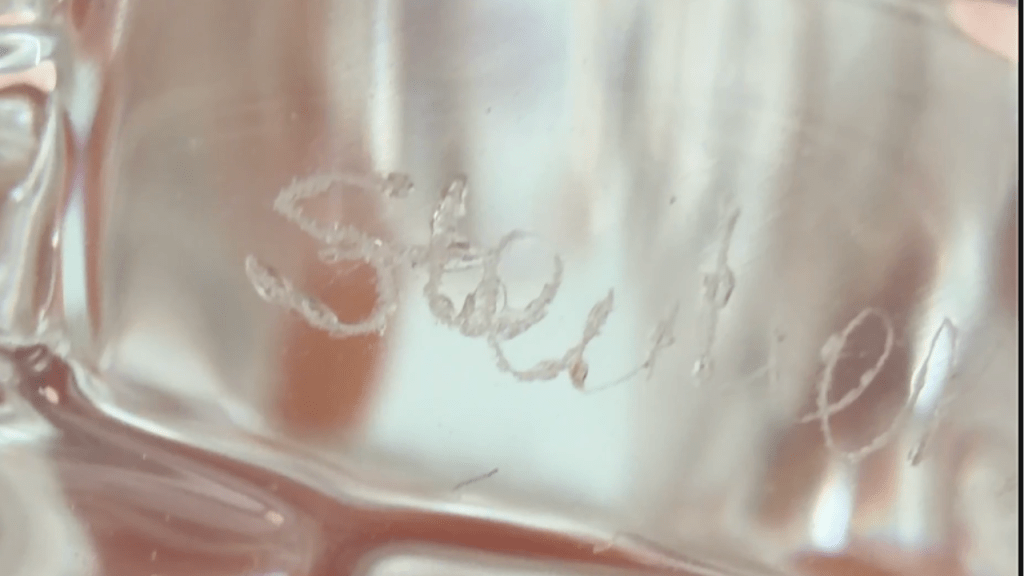
When I examined sold examples of the glass tortoise, I noticed something important.
One of the photographs showed what appeared to be the maker’s name etched into one of the feet.
That gave me another clue.
I could now go back to the actual item and inspect the same area.
This is especially important with higher-value items because you don’t want to assume that something is authentic simply because it looks similar to an expensive example online.
Sold listing photographs can help you discover:
- Maker’s marks
- Signatures
- Labels
- Construction details
- Hardware
- Pattern differences
- Packaging
- Other identifying characteristics
Sometimes the best information in an eBay listing isn’t the price.
It’s hiding in the photographs.
Active Listings vs. Sold Listings
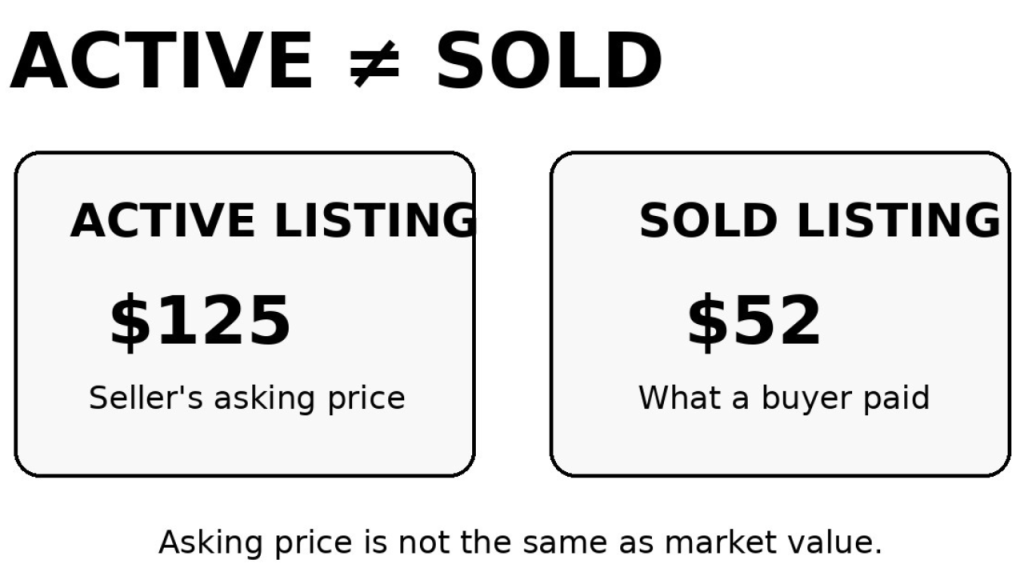
This is one of the most important distinctions for new resellers to understand.
Suppose you search for an item and see this:
Active listings: $89, $125 and $149
That does not automatically mean your item is worth $100+.
Those items haven’t necessarily sold.
Instead, look at sold results.
You may discover that comparable pieces are actually selling for:
$40–$60.
That gives you a much more realistic starting point.
And from there, you can research how much competition you have and decide how you want to price yours.
Pricing is a bigger topic all by itself, because the highest sold price isn’t necessarily the price I would choose for my own listing.
My Quick eBay Research Process at the Thrift Store
When I’m considering buying something to resell, this is essentially the process I’m going through:
- Identify the item as specifically as possible.
- Search eBay using the best keywords I know.
- Check sold listings.
- Compare those sales with the item in my hand.
- If I don’t know what the item is, use eBay’s photo search.
- Use the photo results to discover better search terms.
- Search again using those terms.
- Examine sold listing photographs for marks and identifying details.
- Compare condition, version and completeness.
- Decide whether the potential profit makes the item worth buying.
The important thing is that I’m not simply asking:
“Can I find one listed for a lot of money?”
I’m trying to determine:
“Do I have evidence that buyers actually want this item?”
That’s a much more useful question for a reseller.
Don’t Assume Two Similar-Looking Items Are the Same
This is particularly important with vintage, collectible and designer items.
Two pieces may look nearly identical in a photograph while having dramatically different values.
Before deciding you’ve found an exact match, compare details such as:
- Maker’s marks
- Signatures
- Measurements
- Materials
- Color
- Pattern
- Design
- Condition
- Original packaging
- Included accessories
If you’re dealing with something commonly reproduced or copied, spend additional time identifying it before listing it as a particular brand or maker.
Finding a visually similar eBay listing is a clue.
It isn’t automatically proof of identification.
What If You Can’t Find Any Sold Listings?
That can tell you something too.
Try changing your search.
Remove unnecessary words.
Try a different description.
Search the brand without the model.
Search the model without the brand.
Use eBay’s photo search to find different terminology.
The goal is to gradually move from a broad search toward the most accurate description of your item.
And sometimes, after all that research, you may discover there simply isn’t much evidence that the item sells.
That’s useful information when you’re deciding whether something deserves space in your resale inventory.
eBay Sold Listings: Quick Reference
On the eBay app
Search for your item → Filter → See More → Sold Items
Using a photograph
Tap the camera icon in the eBay search bar → photograph your item → examine matches → filter for sold items.
On desktop
Search for the item → use the search filters to select Sold Items.
Don’t know what it is?
Start with photo search → identify useful keywords → perform a more specific keyword search → check sold listings.
The Biggest Lesson: Asking Price Isn’t Value
One of the easiest mistakes to make when you’re new to reselling is finding something listed for a huge amount of money and assuming you’ve hit the jackpot.
Always dig deeper.
Find the sold listings.
Find the closest comparable items.
Look at their condition.
Look at the photographs.
Look for identifying marks.
Then decide whether the item is actually worth buying.
Learning how to research what people actually pay is one of the most valuable skills you can develop as an eBay reseller.
Happy hunting!
Frequently Asked Questions About eBay Sold Listings
How do I find sold listings on eBay?
Search for your item on eBay and use the filters to select Sold Items. On the eBay app, you may need to select See More within the filters before the sold option appears.
Can you search eBay sold listings using a photo?
Yes. The eBay app has a camera search that can find visually similar items. You can then look at sold results or use the results to discover better keywords for a more precise search.
Are eBay asking prices the same as an item’s value?
Not necessarily. Active listings show what sellers are asking. Sold listings provide evidence of items buyers have actually purchased, which generally makes them more useful when researching resale value.
What if I don’t know who made my item?
Try eBay’s photo search. Look for visually similar items and use the titles to discover possible manufacturers, patterns or descriptive terminology. Then conduct a more specific keyword search.
Should I use only one sold listing to determine value?
It’s better to compare several similar items whenever possible. Look for examples that closely match your item’s version, condition and completeness rather than relying on one unusually high or low sale.No obvious brand.
No model number.
No maker’s mark.
That’s exactly what happened with this little glass tortoise.
It was unusual because the tortoise appeared to be tucked into its shell.
I’d seen plenty of glass turtle and tortoise figurines before, but this one looked different.
The thrift store price was around $3.
So now the question becomes:
How do I find sold listings when I don’t even know what I’m searching for?